Practice tests that open from your own course site.
Students click Start on your page, the test opens with no second login, and every score comes back to your own system.
Access is on request. Today the API opens practice tests, not ordinary assignments.
What your students see
1On your site
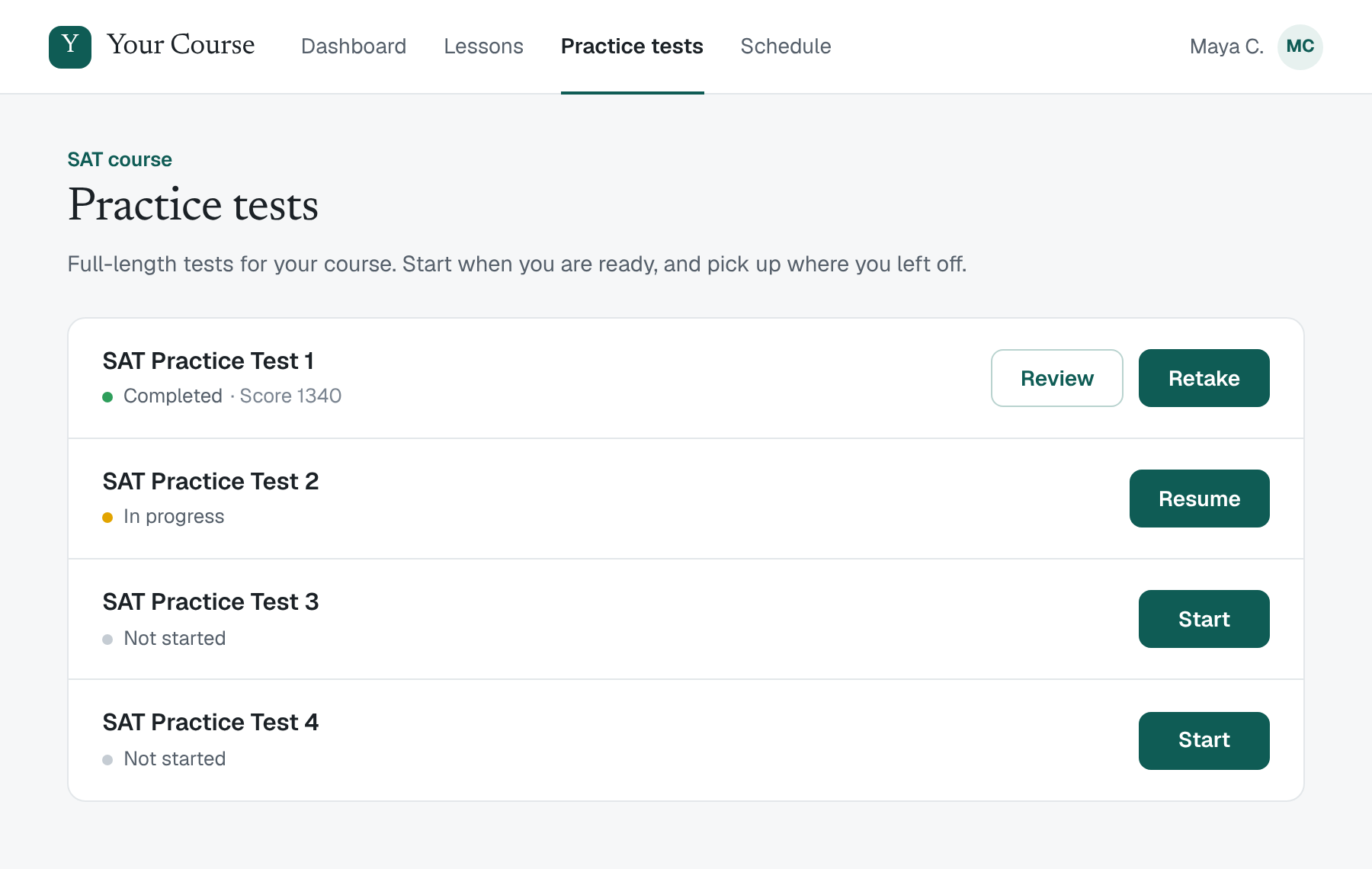
The right button, on your own page
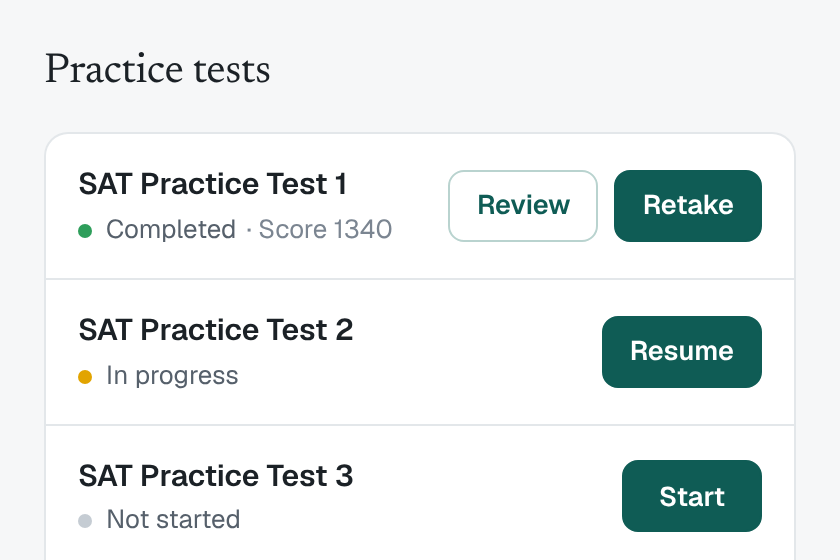
Start, Resume, or Review and Retake sit beside each practice test on your course page. Your page, your styling.
2In TutorDash
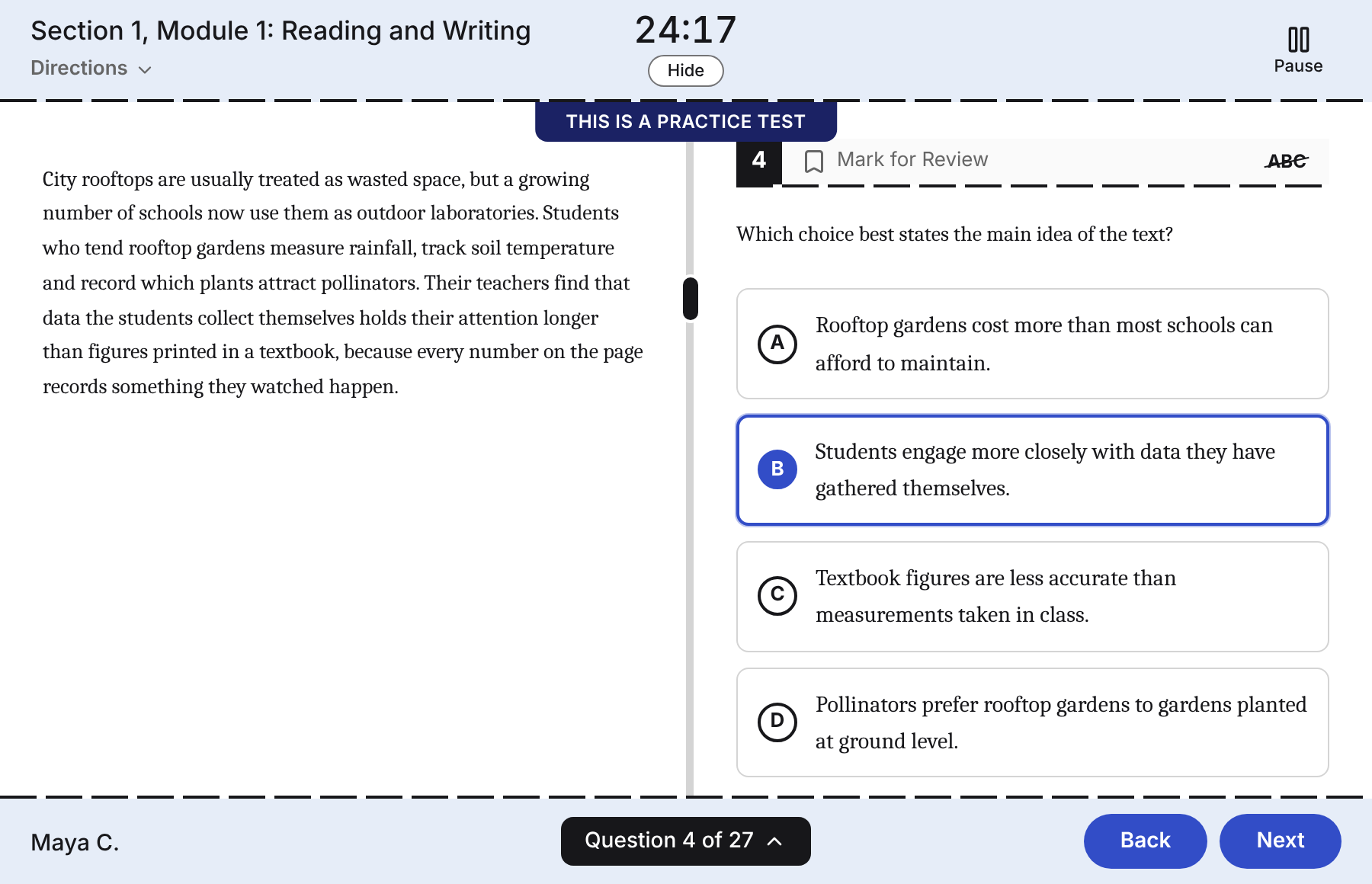
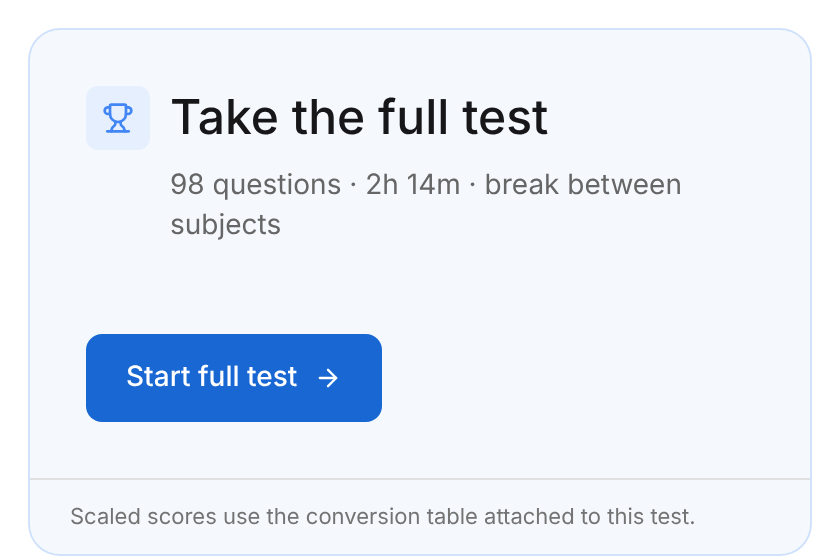
One click opens the test
No second login and no invite email. Students work in a Bluebook-style player with a timer, mark for review and an answer eliminator.
3In TutorDash
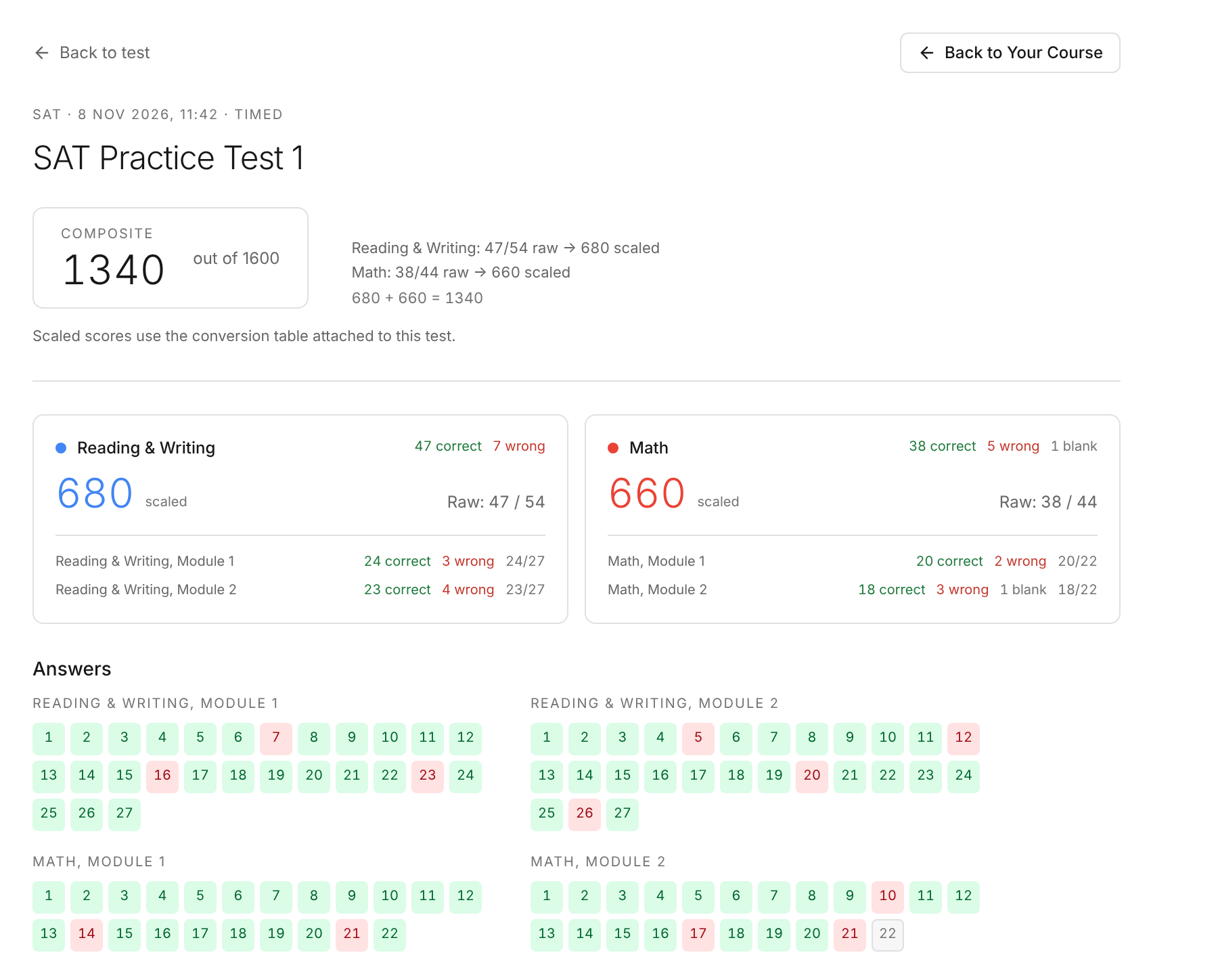
A score report, and a way back
Review opens the score report. A Back to your organisation link returns students to your course page.


Every score, in your own system
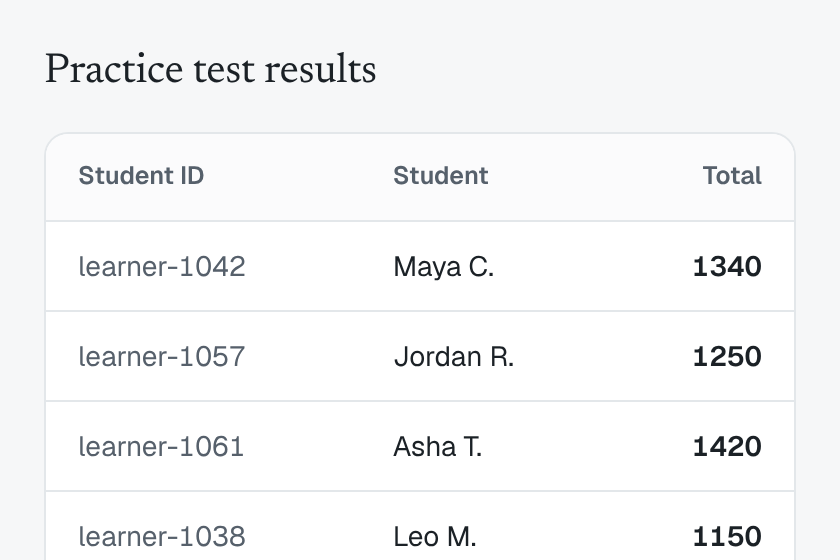
Your system collects each sitting as JSON or CSV: section scores, the total and the outcome of every question, matched to the student IDs you already use.

What you get
No second login
Students sign in to your site only. TutorDash never asks them for a password.
Your brand in front
On the White-label plan, your logo, name and colour go on the emails we send for you and on the sign-in page of your own domain.
Scores where you work
Results export as JSON or CSV, ready for your gradebook or dashboard.
How it works
Four steps. Your developer builds them once.
 1
Your site introduces the student
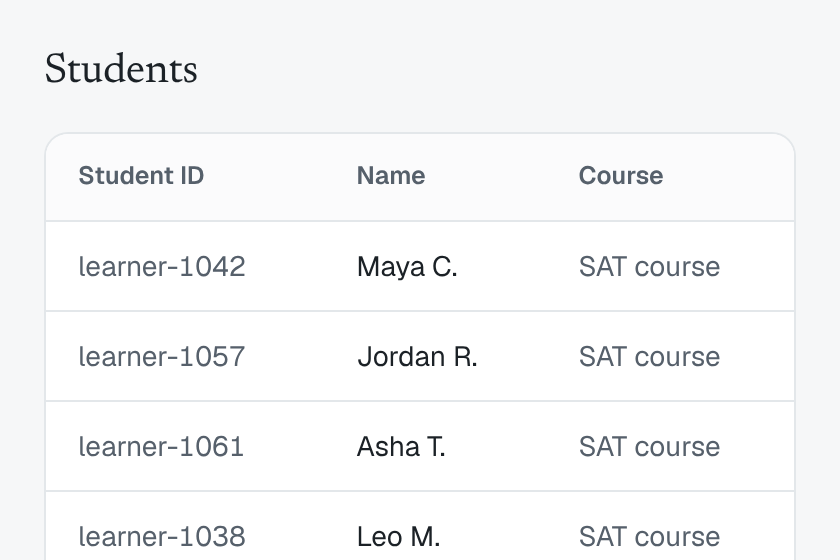
It sends the name, email and the ID you already use. No invite email goes out.
 2
Your page shows the right button
TutorDash says which to show for each test: Start, Resume, or Review and Retake.
 3
One click opens the test
The link works once, for that student. They choose standard or extra time and begin.
 4
Your system collects the scores
A scheduled job on your side pulls new results, so your records stay current.
Handing this to a developer? Read the integration guide
Who it is for
- Course companies
- Add full-length SAT and ACT practice tests to the course you already sell.
- Tutoring agencies
- Keep families on your brand, from the email to the address bar.
- Schools
- Start tests from the portal or LMS your students already use.
Security and student privacy
- Keys stay on your server and never reach a browser.
- Each launch link works once, for two minutes, for the student it was made for.
- The export carries scores and question outcomes. No question text, no answers entered, no contact details.
Questions
Something else? Write to support@tutordash.io.
Who can use the API?
Organisations on TutorDash with a current plan or an active trial, once we have switched the API on for them.
Is access self-serve?
No. We enable the API for each organisation, so write to support@tutordash.io first. After that, your administrators create and revoke keys in Settings without waiting for us.
Do students need a second login?
No. Their TutorDash login is created silently, no email is sent, and each click from your page signs them in.
What can a student open from my site?
Published full-length practice tests your organisation can use: its own, or the ones TutorDash provides. The API does not open ordinary assignments today.
What does white-label cover?
On the White-label plan, your logo, name and accent colour appear on the emails TutorDash sends for you and on the sign-in page of your own domain. The legal footer still names TutorDash as the service operator, and Stripe-hosted payment pages carry TutorDash's Stripe branding.
Do we need a developer?
Yes: someone who can make requests from your site's server and keep a key private. The integration guide lists the four calls, and a WordPress helper file is available on request.
Is there an LTI or SCORM connector?
No. It is a plain HTTPS API called from your server.
How to get access
Access is on request. Ask for a sandbox key and build against our staging environment, away from live student data. When you are ready, we switch on your organisation and your administrator creates the live keys.